
Starlink Mini for RV Life: What It Actually Costs Us
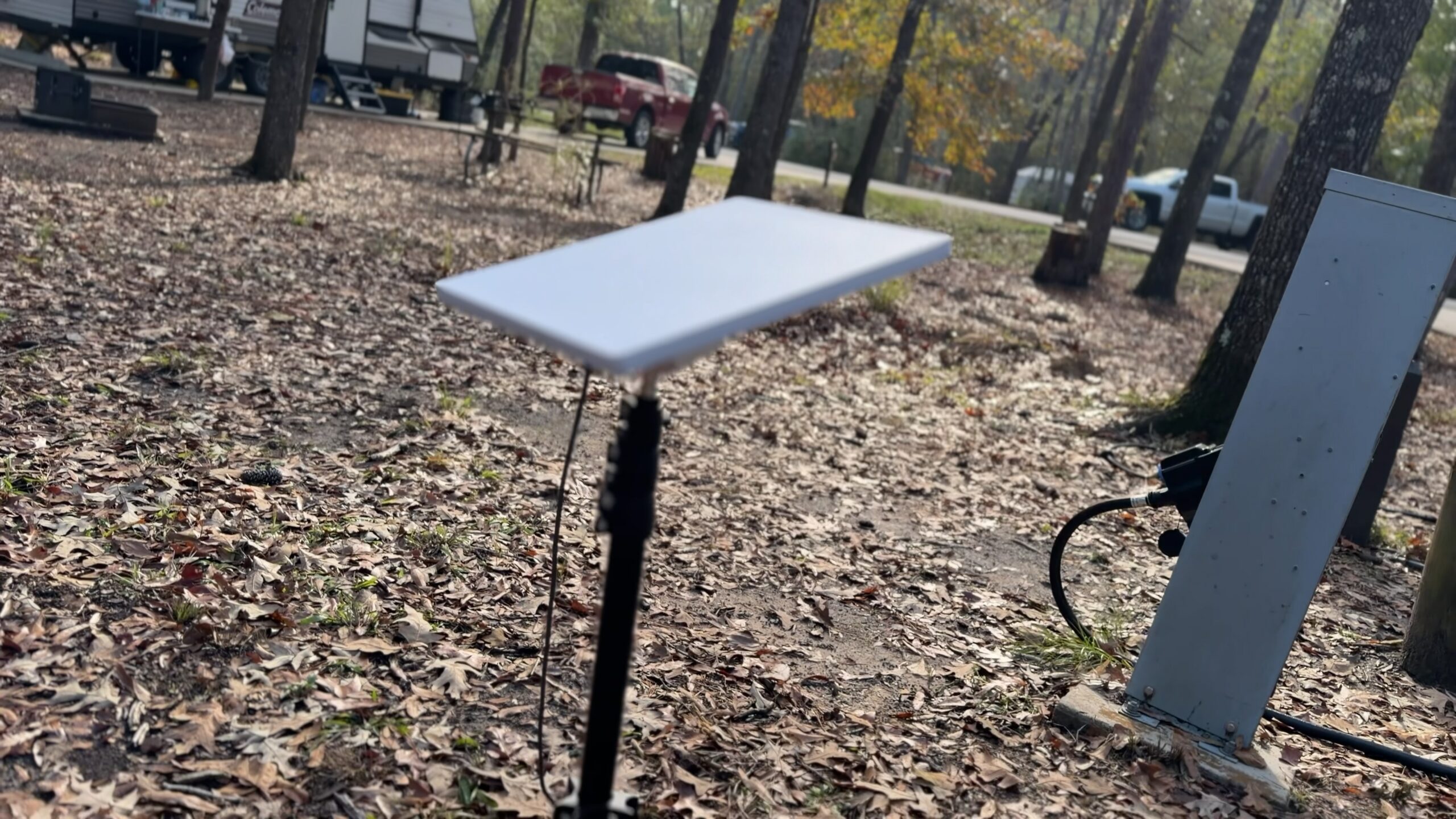
At nearly every campground we pull into, we have the same little fight. Shade keeps the trailer cool, and shade blocks the dish. And that dish is how our whole business gets online.
The dish is our Starlink Mini, a small satellite internet dish that travels with the Brinkley (our travel trailer). The kit cost us about $540 when we bought it in September 2025, and the service runs about $170 a month. That’s real money. Over our first year it came to a little over $2,000, enough that it gets its own line in our yearly cost write-up. For the way we live and work on the road, it’s worth every bit of that.
Our whole business rides on it
We film the Five Parks Life YouTube channel as we travel, and I’m the only one behind the camera and the only one editing. All that footage has to get from the trailer to YouTube somehow, and we don’t count on campground WiFi.
And it isn’t only Five Parks Life. Everything for the Five Parks Yoga YouTube channel uploads over Starlink too. (If you found us through yoga, yes, that means the classes.) Our entire business runs on the internet, so Starlink is critical.
It’s also our TV. All of our streaming runs over it, Netflix and YouTube TV included. Hulu too.
I wouldn’t go anywhere without it. Zero chance I’d go camping without it. If you need to be connected, it’s worth it in a huge way.
So when we pick campsites, being able to get online is a requirement. And a lot of the places we love have no cell signal at all. Our guide for Penitente Canyon notes that cell service is spotty, and Sand Gulch has limited coverage too. Hovenweep is about an hour from the nearest town. Without a dish on the trailer, we’d either skip places like those or skip work while we’re there.
The middle of nowhere has the best internet
Here’s the odd part. The closer we are to civilization, the slower our uploads get. Out in the middle of nowhere, like Forest Road 700 in Wyoming or Rabbit Valley in McInnis Canyons, it’s incredibly fast. As fast as our internet at home, or faster.
Can you use a Starlink Mini while driving?
We do. A suction mount holds the Mini up in the truck’s sunroof. My phone runs CarPlay off it for directions and music (and audiobooks). Erin hooks up her computer or iPad and does research or whatever she’s working on. Sometimes it’s just her phone.
Starlink says in-motion use is supported on its Roam plans in select areas, so check its FAQ for where you’ll be driving.
How much power does a Starlink Mini use?
Starlink’s spec sheet puts the Mini’s average draw at 25 to 40 watts. It takes 12 to 48 volts DC with a 60 watt input rating. It can also run off USB-C power delivery if the source can supply 100 watts (20 volts at 5 amps) through Starlink’s USB-C to barrel jack cable.
That doesn’t sound like much, but the dish runs around the clock. At 25 to 40 watts, that’s 600 to 960 watt hours a day, which is worth knowing before you plan a few nights with no hookups (no campground power or water).
So we usually power the Starlink from our Anker power station, which has its own solar panel. The real reason is Rindo, our dog. SwitchBot sensors in the trailer send us heat alerts if it gets too hot in there with him inside, and those alerts come through the Starlink. If the trailer loses power, the Anker keeps the Starlink running and the alerts keep coming. (Our Waggle pet monitor has no connection half the time when we’re out in the middle of nowhere.) We need that connection all the time, so SwitchBot plus Starlink plus the Anker is critical for us.
The first accessory we bought, right after the kit, was a cable that runs the Mini off USB-C or a car lighter socket, so the dish doesn’t need a wall outlet.
Does Starlink work under trees?
It needs sky. The Mini sees a 110 degree field of view, and anything in that cone (a tree or a canyon wall) gets in the way. That’s the fight I mentioned at the top, and we have it at nearly every campground.
At camp, the Mini has to face roughly north, so it usually sits within about 10 feet of the RV. Tree cover is what pushes it farther out. At Catalina State Park in Arizona it had to go much farther away than that, and we still had some connectivity issues there.
Every stop on our travel map has a destination page, and sky view is part of how we choose.
Do you need a travel router with a Starlink Mini?
Not really, at least not for us. We don’t use ours much. The Mini has WiFi built in, and Starlink rates it at up to 1,200 square feet and 128 devices, which is plenty for a 27 foot trailer. It also has one latching ethernet port.
We added a TP-Link Roam 6 this past April, about seven months after the dish. When we do use it, the router becomes the WiFi hotspot inside the RV. Starlink feeds the router, instead of the Mini being the hotspot itself.
The Roam 6 has a wired port that can take a cable from the dish. It can also pick up a campground’s or a hotel’s WiFi and share it, and TP-Link says its app handles those sign-in pages once for every device. So it’s handy if you want one network that stays the same wherever the internet comes from.
Which Starlink plan works for RV travel?
Starlink’s travel plans are called Roam. We’re on Roam Unlimited at $175 a month. On the two smaller plans you get a set amount of high-speed data, then unlimited data at low speed.
Starlink bills in one-month increments, and between trips you can drop into what it calls Standby Mode for a small monthly fee. Standby keeps emergency messaging working, and it makes reactivating easier when you’re somewhere with no other signal. Here’s what starlink.com listed for US prices when I checked in October 2026:
| Roam plan | Monthly price | Where it works |
|---|---|---|
| Roam 100GB | $55 | US and Canada |
| Roam 300GB | $80 | US and Canada |
| Roam Unlimited | $175 | 160+ countries and territories |
The dish was the cheap part
The kit comes with a kickstand, so the dish can sit on flat ground straight out of the box. Everything else we bought solves one of two problems: where to put the dish, and how to get power and signal to it. With about $160 in add-ons, our hardware came to about $700.
The subscription is the bigger number. A year of service came to a little over $2,000. That’s three times what the hardware cost, and about three quarters of what we spent on campsites in our first year.
| What | Roughly |
|---|---|
| Starlink Mini kit (the dish, with WiFi built in) | about $540 |
| Mounts, cables and a travel router | about $160 |
| Service | about $170 a month |
Questions people ask
How much does Starlink Mini cost per month for an RV?
We’re on Roam Unlimited, which is $175 a month as of October 2026. Starlink also lists Roam 100GB at $55 and Roam 300GB at $80 a month.
How much power does a Starlink Mini use?
Starlink’s spec sheet lists an average of 25 to 40 watts. Its input rating is 12 to 48 volts DC at 60 watts. It can also run on 100 watt USB-C power delivery with Starlink’s USB-C cable.
Can you pause Starlink when you’re not traveling?
Starlink’s Roam page says you can switch to Standby Mode for a small monthly fee and switch back when you need it. Billing is in one-month increments. Standby keeps emergency messaging available.
Does the Starlink Mini need a separate router?
No. It has WiFi built in, rated for up to 1,200 square feet and 128 devices. We own a travel router and rarely use it. It’s most useful when you want one network that can also share campground or hotel WiFi.
Is Starlink included in your yearly RV costs?
Yes. Our first-year running cost of about $17,000 includes a little over $2,000 of Starlink service. The kit, about $540, is counted with the one-time setup costs instead.
See you down the road,
Matt