The Month AI Stopped Helping and Started Doing
Every fall I get an email I dread. It’s from our accountant. It’s perfectly polite, yet it means two weeks of my life are about to disappear into bank statements. (I’m not an organized guy when it comes to paperwork. Erin will happily confirm this.)
This year it landed in early October, not long after Erin’s spinal fusion. She was asleep in the recliner next to me, and I was her full-time caregiver. Two weeks of anything was not on the table.
So I did what I do with almost everything now. I handed the email to Claude, my AI assistant I use for just about everything, and showed it what files I’d sent my accountant in years past. I casually mentioned that I would start downloading the statements for Claude.
Then something changed for me. Claude stopped me and in his own words said “why would you waste your time with that, I can do that for you” – and so I decided to dive down the rabbit hole. Here’s how it worked.
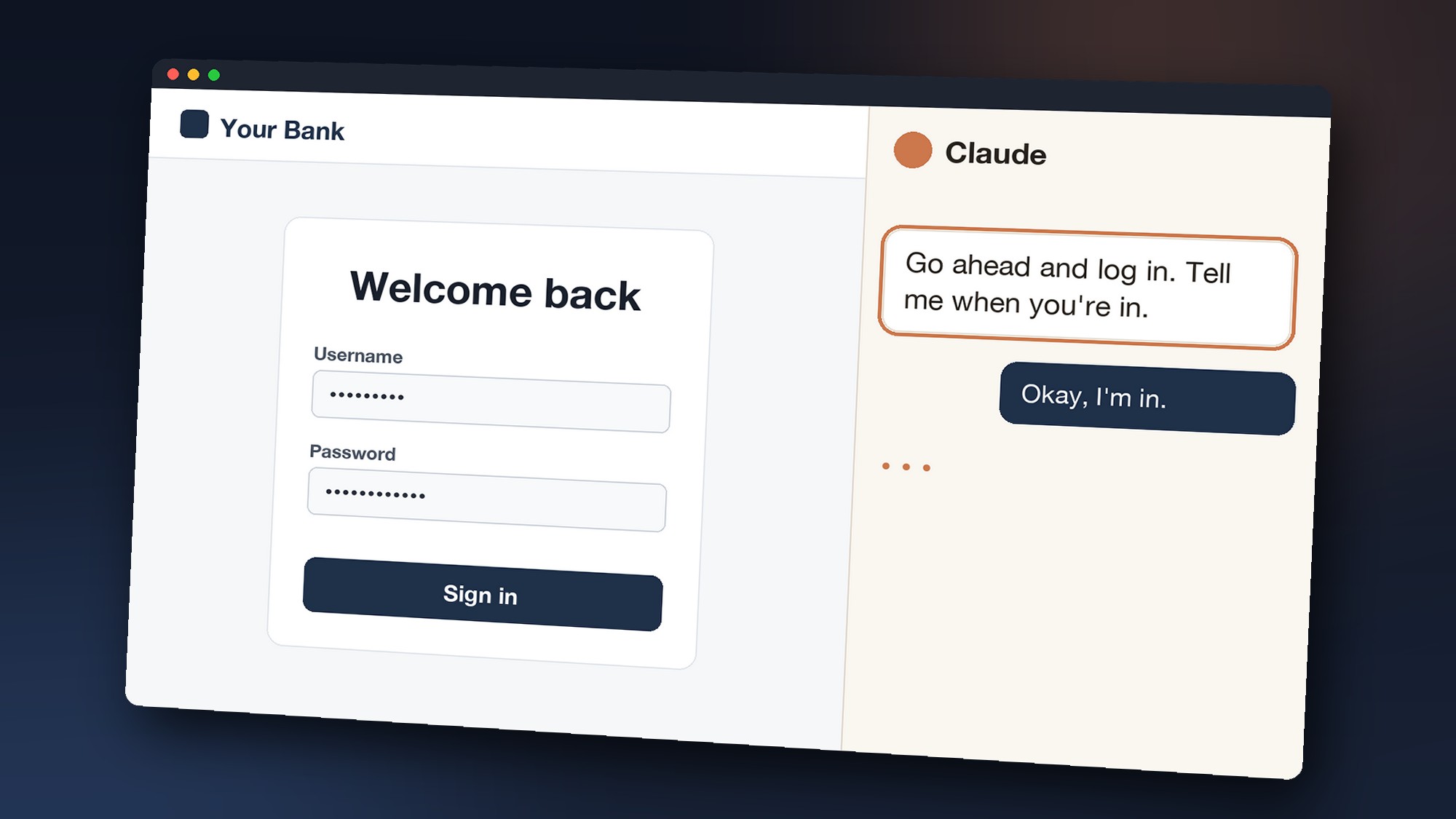
Claude opened a window in my own Chrome browser and went to the bank’s website. Then it stopped. I got a message telling me to log in because Claude doesn’t have permission to do that. “Go ahead and log in,” it said. “Tell me when you’re in.” It never saw a password. I logged in, and it took over, I watched it skilfully navigate the credit card website downloading statements and saving them in an organized system on my computer. I didn’t know it at the time, but these bank statements were going to come in handy for a bunch of unrelated things too.
When Claude finished with one account, he’d log out for me and head to the next bank to start the process again. It took about an hour to download everything statement from multiple banks, credit cards, paypal, etc. This usually takes me a week.
The magically (well, maybe not magic, but it feels like it to me), the data was all put together, sorted, organized, and turned into a brilliant spreadsheet for my accountant. Everything my accountant asked for, sorted into business and personal and it’d found almost $30,000 in deductions I didn’t know I was missing. I checked it all three times, and it didn’t miss a penny. I did.
Two weeks of work took about two hours, and most of that was my checking Claudes work. I looked over at Erin, still asleep, and said it anyway: “I just figured out how to do my taxes in an hour.” I think she smiled in agreement while she was sleeping.
How I managed 3 businesses and cared for Erin post spinal surgery with grace
I’ve used AI for years. It’s helped me plan trips and research things, and it helped me write some emails and even some of these articles (after I take a stab at it first!). But it was always helping. I was still the one doing the work.
Erin’s surgery was at the end of September, and for the next month my real job was taking care of her. Before she came home I cleaned the house top to bottom and built her a new bed. After she came home, I was running the house and taking care of her. (She’s been writing about her recovery in Erin’s Corner, if you want her side of it.)
The rest of life didn’t pause, though. We had a yoga retreat to plan in Nosara, Costa Rica. We had websites and YouTube channels that don’t run themselves. My job never ends, and this was no exception.
And this is where everything changed. I realized that Claude (and many other AI’s) can DO work, not just HELP you work. So I asked Claude over and over, “Can you help me with this?” and the answer was almost always “yep! I can DO that for you” – and it did. I can’t even tell you how many things we worked on together.
So the work changed shape. Every hour or two I’d sit down for about five/ten minutes and check in with Claude. I’d look at what it had finished and I’d answer its questions. Then I’d hand it the next job, wipe my hands and go back to Erin.
Here’s what surprised me. My job didn’t get smaller. It moved. I stopped doing the work and started managing it.
Nothing I did happened at the click of a button or with one “single prompt” to Claude. It happened because I described what I wanted in detail, sometimes for a very long time (even multiple days), and then checked what came back and quickly provided productive feedback.
I put most of the hours I gained back into helping Erin get back on her feet, but the rest went to managing all the businesses. I pretty much was able to pull it off.
What “doing” looks like
An app for swim coaches by morning
Swimming runs deep in our family. Our son Jacob swam in college, and now he coaches a club team and is an assistant coach for a Division II college team. Our son Ben swam at both the Division II and Division I level, won multiple national championships, and now coaches the pro team at the University of Texas, where his swimmers are Olympians.
Recently, Jacob was visiting, and he was griping about having to write sets for the practice he was headed home to that afternoon. He had forgotten his practice notebook and didn’t want to lose track of where he was in his coaching, so I thought, “Hmm, I wonder if I can build him an app for that.”
That evening, before I sat down to watch TV with Erin, I spent a good long while describing to Claude exactly what I wanted. Jacob was at a hockey game, and I went to bed, and Claude did his work.

About 24 hours after I started, the app was ready. It’s called Happy Coach, and Jacob and Ben are testing it now. With coaches like those two putting it through its paces, I really think it could have an impact on the swimming world.
A new retreat app feature before breakfast finished
This fall Claude and I also built Erin her own app for running our yoga retreats. Inside, she has a class editor where she plans each class pose by pose.

When I got home from breakfast, I asked Erin to refresh her screen. It was there, working exactly the way I’d asked.
“It’s awesome,” she said. “I’m so impressed. This is a game changer.” And we keep tweaking the app almost daily.
Our students deserve a reply to every comment
Erin has been teaching free yoga classes on YouTube for more than a decade, and people leave thousands of comments. For years we rarely answered them, it was just too overwhelming.
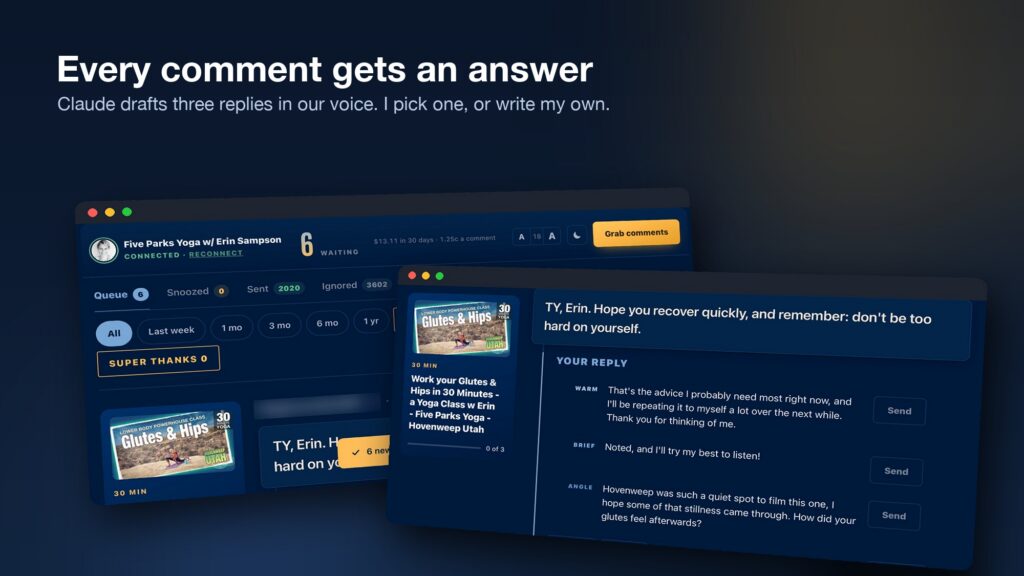
Now, every morning before I’m out of bed, a little app Claude and I built has already pulled in the new YouTube comments and written three possible replies to each one, in our voice. I pick the best one or write my own, and send it away. The people who took the time to write us finally get to hear back from us, and we get to read every single comment now. It’s amazing.
AI isn’t magic, and I don’t let it pretend to be
AI breaks. On Five Parks Yoga, we have a Class Finder that lets you search all of Erin’s free classes. In October I went to link a brand-new class in a video description, and it wasn’t there. Neither were the two before it. Our three newest classes had been missing from the search for about two weeks. Claude found the problem and fixed it, but I’m the one who noticed. Now I check it every Saturday when we publish.
And there are a few lines Claude never crosses:
- It never sends email. It drafts replies that sound like me, but I’m always the one who hits send.
- It never moves money. No purchases and no transfers.
- It never logs in as me. On the bank sites, I log in myself, and it takes over from there.
- It never changes our YouTube channel on its own. If I want to update a pile of video descriptions, it writes the program, and I’m the one who runs it.
What AI costs us to run Five Parks Media, and how to start
For Erin and me, it’s about $400 a month, and about half of that is Claude. Does it pay for itself? A thousand times over.
If you’ve got no tech background and a free Saturday, here’s what I’d tell you:
- Sign up for Claude Pro, the paid plan. The free plan won’t do what I’ve described here.
- Download the Claude desktop app. Not the website, the desktop app.
- Open it and click Claude Code. That’s the part that can actually do work on your computer instead of just chatting.
- Watch a couple of getting-started videos. Here’s the playlist I made for Jacob.
- Then hand it something real. Describe it like you’d describe it to a friend, and check what comes back.
Next fall I don’t need to dread the email
There’s a lot I left out of this one. The full list of what we built these two months is long enough to be its own post, and it’s coming.
But here’s what I know. Next fall, when that email from our accountant shows up, I’m not going to dread it. I’ll hand it to Claude and log in to the bank. Then I’ll go take Rindo, our dog, for a long walk.